

The ums, found for you
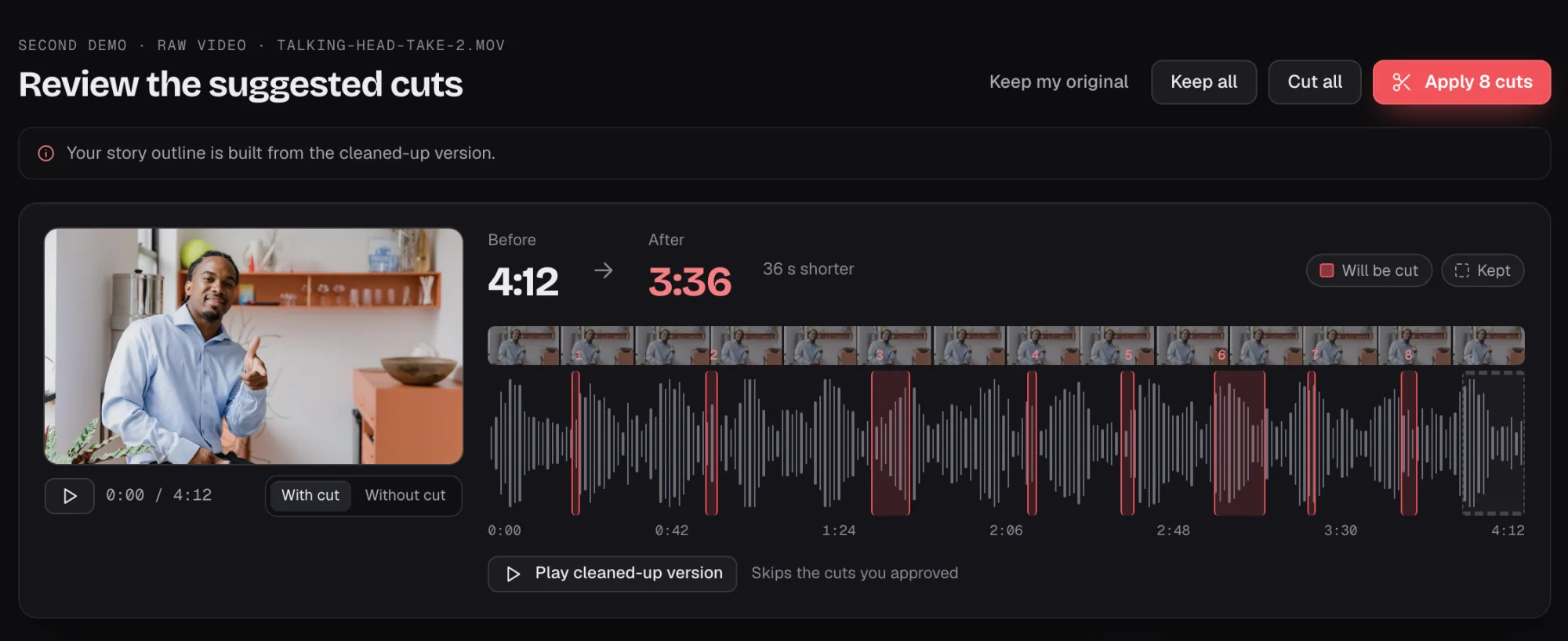
Your AI marks filler words, long pauses and retakes in your recording.
Bring raw video of yourself. Your AI marks the ums, long pauses and retakes. You keep or drop each cut, then build any video from the clean version.
Mac and Windows, launching together
 Placeholder
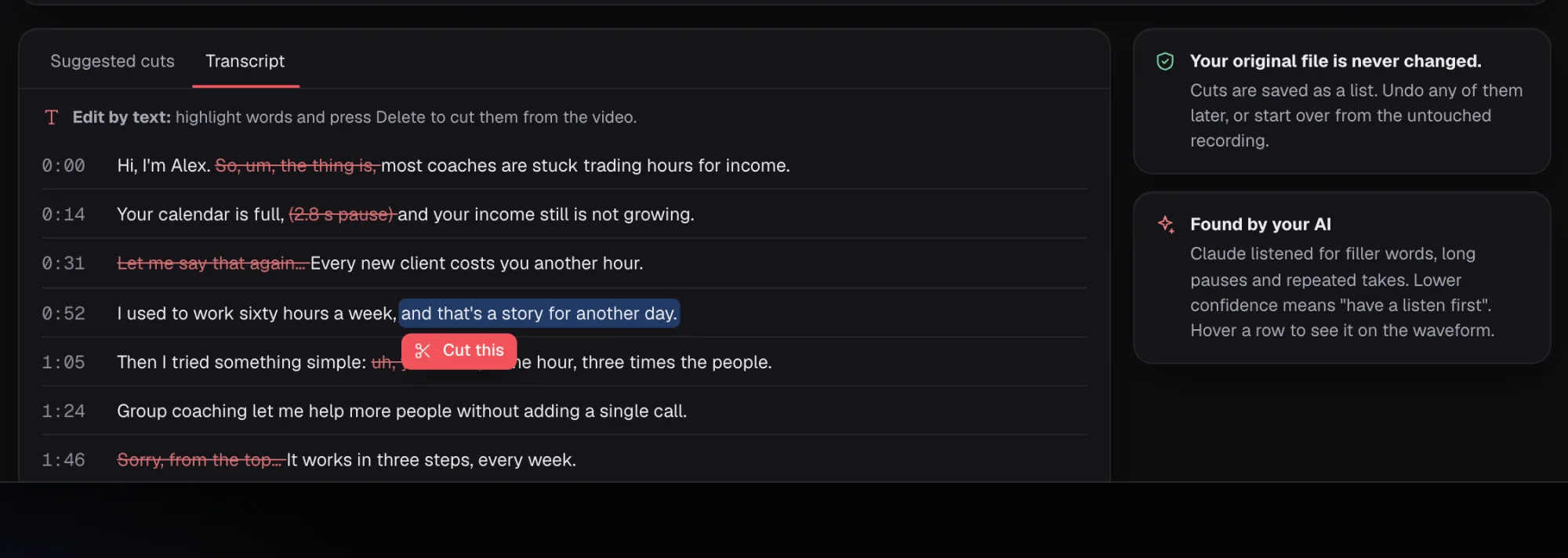
Hi, I'm Alex. So, um, the thing is, most coaches are stuck trading hours for income.
Your calendar is full, (2.8 s pause) and your income still is not growing.
Let me say that again... Every new client costs you another hour.
You bring the recording. Your AI listens for the bits you'd cut anyway, and you decide which cuts happen.
Your AI marks filler words, long pauses and retakes in your recording.
Every suggested cut waits for you. Keep the ones that still sound like you.
Bring a full workshop or a long talk, as well as short takes.
Your footage stays on your machine. Your AI works from the transcript.
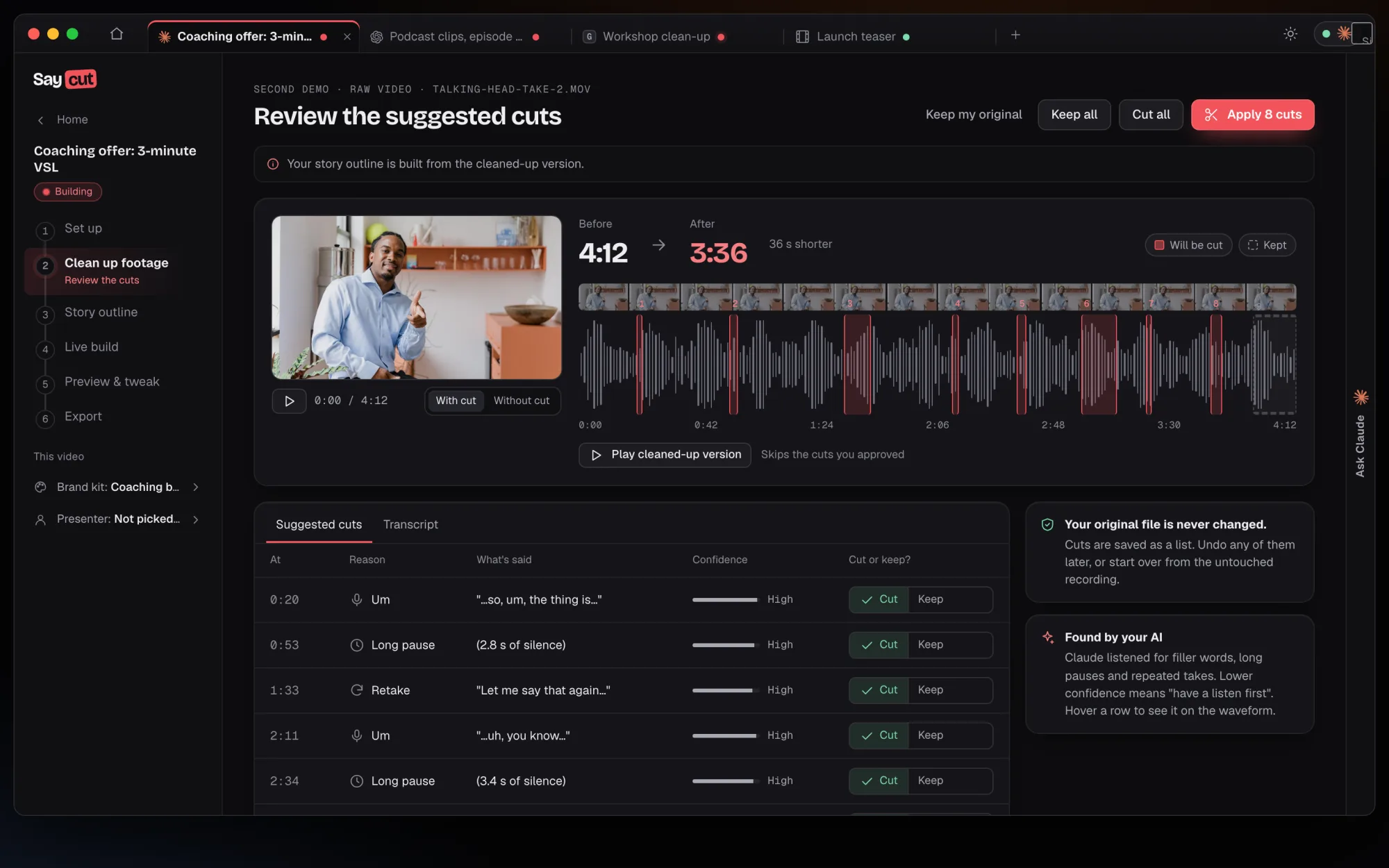
Suggested cuts
Your AI lists each cut with when it happens, why, and what was said: an um, a long pause or a retake. You pick Cut or Keep on every row.
Transcript
The transcript shows each suggested cut struck through in place. Highlight more words to cut those too, or bring one back.
On your computer
Clean up runs on your own Mac or Windows computer. Your recordings never go to Saycut servers, and your AI sees the transcript, plus frames only if it asks for them.
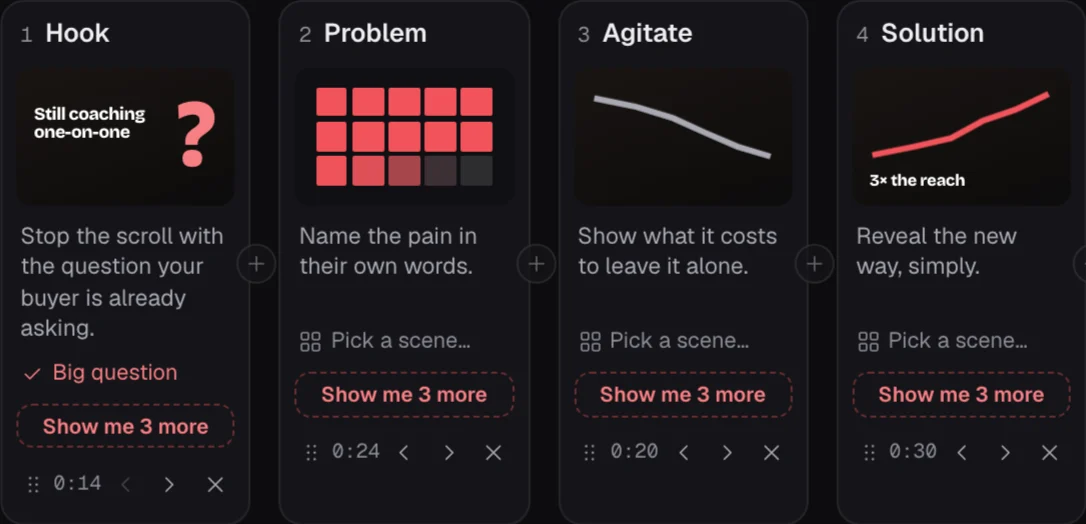
Story outline
The story outline is built from the cleaned-up version. Turn it into a talking head video with graphics, or a short social clip.
0:58as recorded
So, um, today I'm showing you how I plan a launch. It starts with one list. (2.1 s pause) Just one. Wait, let me start that again. It starts with one list of names. Then I write to each person, uh, like, by hand.
Join the waitlist and we'll email you when Saycut opens on Mac and Windows.