
Resources DocsJoin the waitlist
Find your way around Saycut.One stage at a time.
Short guides for each part of Saycut, from connecting your AI to export. Full articles are planned for launch. Until then, each topic opens the page that covers it today.
Mac and Windows, launching together
Try
Popular topics
- Connect your AIYour own AI
- Two ways to pay for your AIYour own AI
- Will it run on my computer?Download
- ExportThe six stages
- Works mostly offlinePrivacy
- Story outlineThe six stages
- What stays local and what your AI seesPrivacy
- Voices & peopleVoices & people
- For developers: MCP and the CLIYour own AI
- Download SaycutDownload
- Download links for IT teamsDownload
- Set upThe six stages
- Clean up raw videoMake
- Preview & tweakThe six stages
- Brand kitsHomepage
- CaptionsHomepage
- What's newRelease notes
No topic matches that yet. Try a stage name such as Story outline, or browse the topics below.
Searches the topics on this siteNothing leaves this page
Start here.Three steps to your first video.
- 1Download SaycutFor Mac or Windows. The first time it opens, Saycut checks what your computer can do.Download
- 2Connect your AIUse your AI app's monthly plan, or your own API key in an agent tool.Connect your AI
- 3Make your first videoPick a kind of video and tell your AI what you want. The sample video opens without any AI.See the six stages
Browse by topic.Each one opens the page that covers it today.
- Get startedInstall Saycut and run the first check.Install on MacInstall on WindowsThe first-run checkArticles planned for launch
- Connect your AIClaude, Codex or another AI tool.Connect ClaudeConnect CodexUse your own API keyArticles planned for launch
- Set up and footagePick the kind and bring in a recording.Pick the kind and sizeBring in a recordingClean up ums and retakesArticles planned for launch
- Story outlineRead the shape and approve it.Read the outlineShow me 3 moreApprove and buildArticles planned for launch
- Preview & tweakWatch it live and fix small things.The light timelineAsk your AI for a changeLayouts and captionsArticles planned for launch
- ExportFinished files, made on your computer.Sizes and qualityCaptions filesSuggested post textArticles planned for launch
- Voices & peopleBuilt-in voices and accounts you connect.Built-in voicesConnect ElevenLabs or CartesiaConsent badgesArticles planned for launch
- Will it runWhat your computer needs.Proposed requirementsCheck your Mac's chipLinks for IT teamsArticles planned for launch
Popular: Connect your AI
Connect one AI,then make a video.
Pick the Recommended way to use your AI app's monthly plan, or the Advanced way to use your own API key. You can add more later in Settings.
Read the overview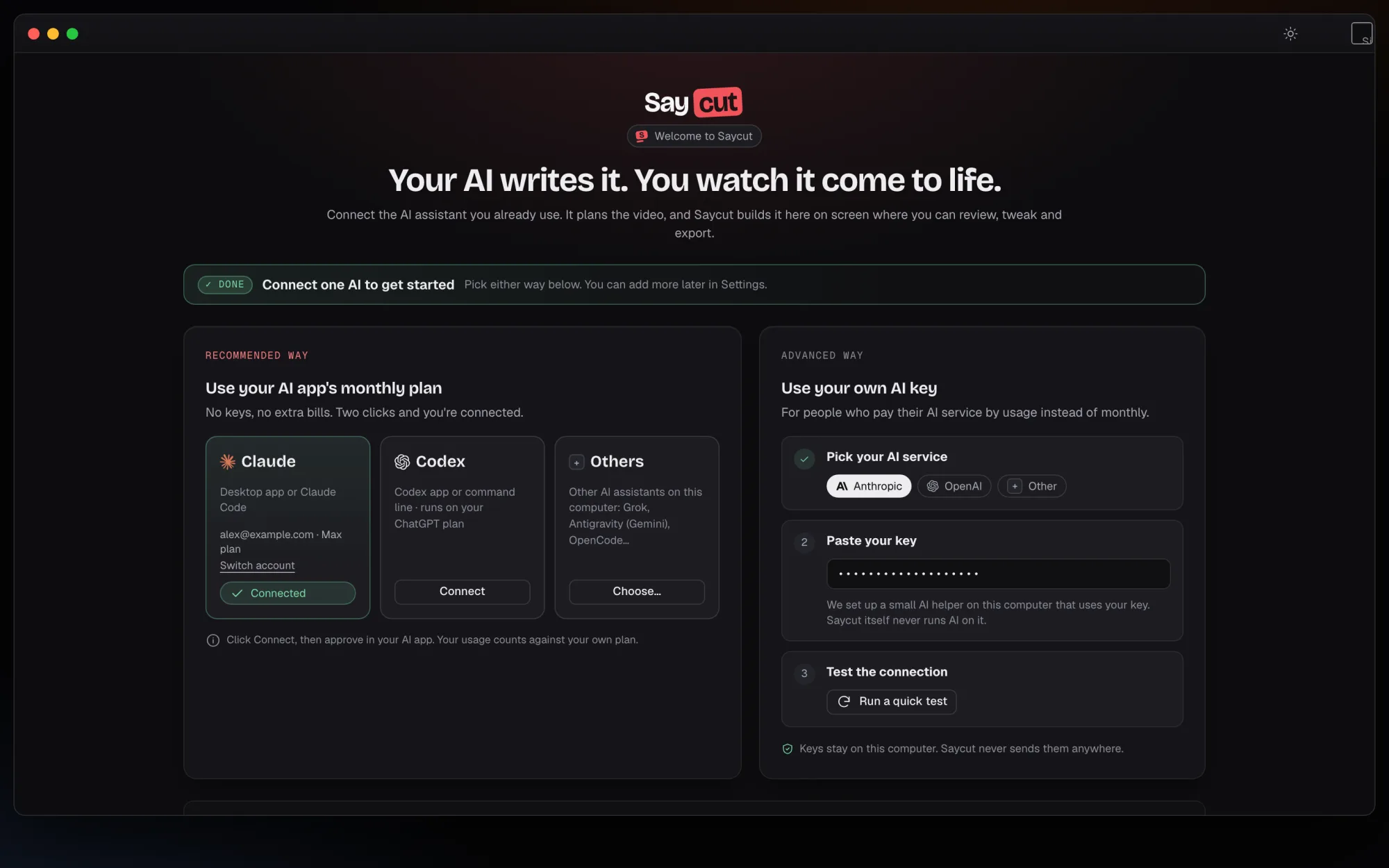 Connect the AI app you already pay for.
Popular: Story outline
Approve the outlinebefore anything builds.
The outline shows each part of the video in order. Ask for "Show me 3 more" on any part you want to change, then approve it.
Read the overview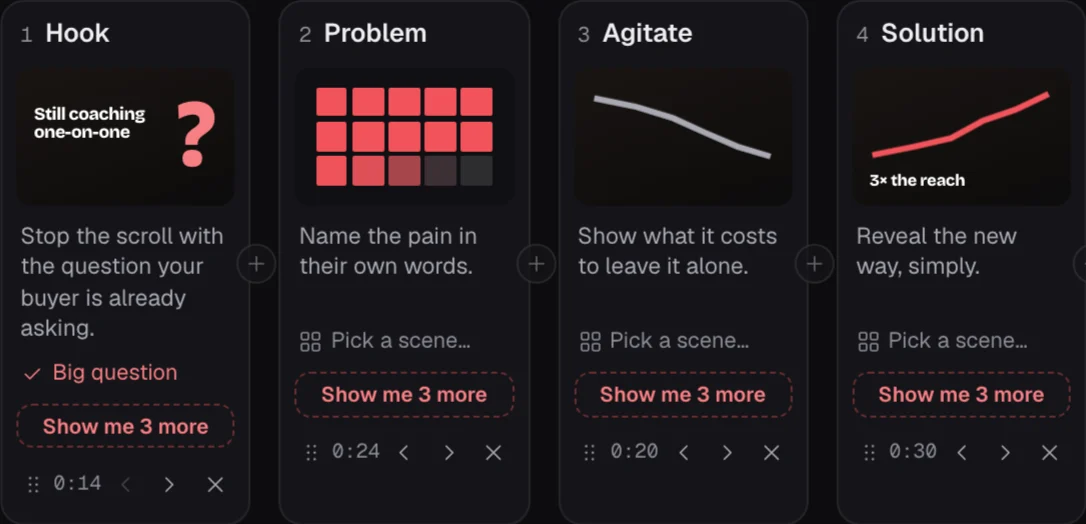
6stages, from Set up to Export
5kinds of video
4sizes: Wide, Tall, Square, Portrait
2 Mac and Windows, launching together
Keep up with Saycutand get it on your computer.
Say what you want.Saycut makes it.
Join the waitlist and we'll email you when Saycut opens on Mac and Windows.